


Track adoption with our new GitHub Action and monitor your design system's React components across your applications automatically!
The zeroheight team has been working hard to provide tools that help design system teams understand where and how their design systems are being used. We recently added the Adoption tab, which allows you to track code package adoption and component adoption, which works with our Adoption CLI tool.
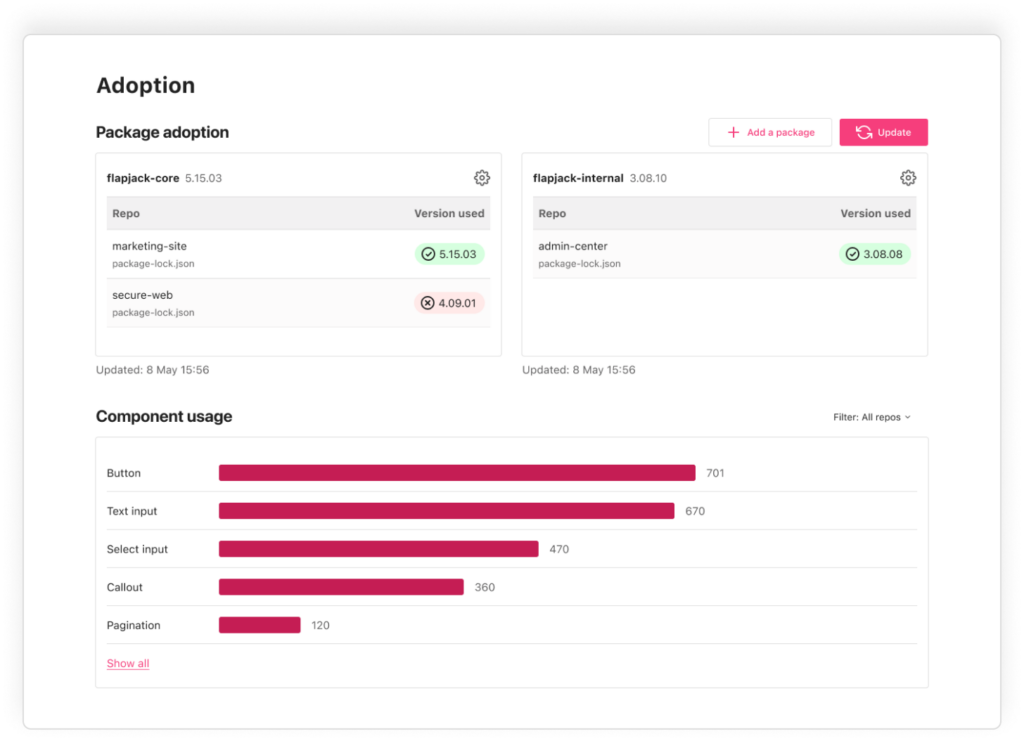
While these features are in beta, we’ve been taking on feedback from both new and existing customers. One thing we picked up on regarding our component adoption tracking feature is that people would love to automate the process, and send updates to zeroheight whenever new code was pushed. Well, thanks to the power of GitHub Actions, it’s possible to slot zeroheight into your pipelines and push new adoption data on every deployment, push, or release.
What are GitHub Actions?
CI, or Continuous Integration, is the practice of automating processes within code projects. It effectively eliminates repetitive tasks from your workflow and ensures consistency. GitHub Actions is a branded version of CI, allowing you to configure and run automated processes like releases and deployments.

You can drop our new GitHub Action into any code project stored on GitHub, add it to a new or existing workflow, and begin pushing adoption metrics straight to zeroheight. All you need are authentication tokens, which you can generate by heading to the developers’ section of your zeroheight organization. Don’t worry if this is all new to you; heading to the Adoption tab within zeroheight will provide you with a full setup guide to get up and running with our adoption features.
Getting started
We highly recommend you check out our Adoption Features Introduction in our Learning Hub to learn more about these new features. After that, you can get started with our GitHub Action by following the installation guide. We’ve made our GitHub Action public for your viewing if you require a more custom integration.
We hope this improves your experience of our adoption features and are excited to hear about how you’re using it in your pipelines. The best place to talk more about this and our other adoption features is in our zheroes Slack community. Come on in!
